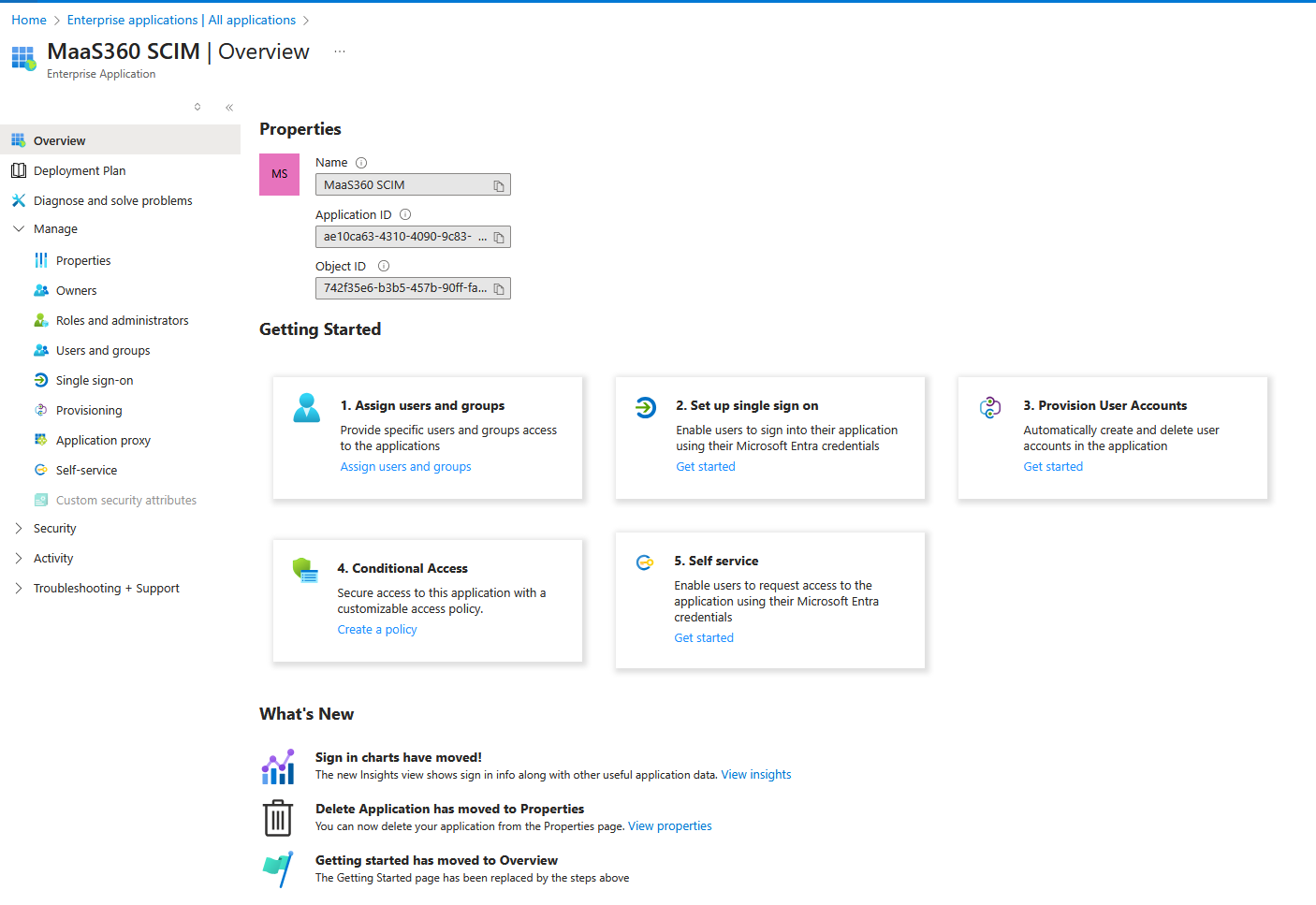
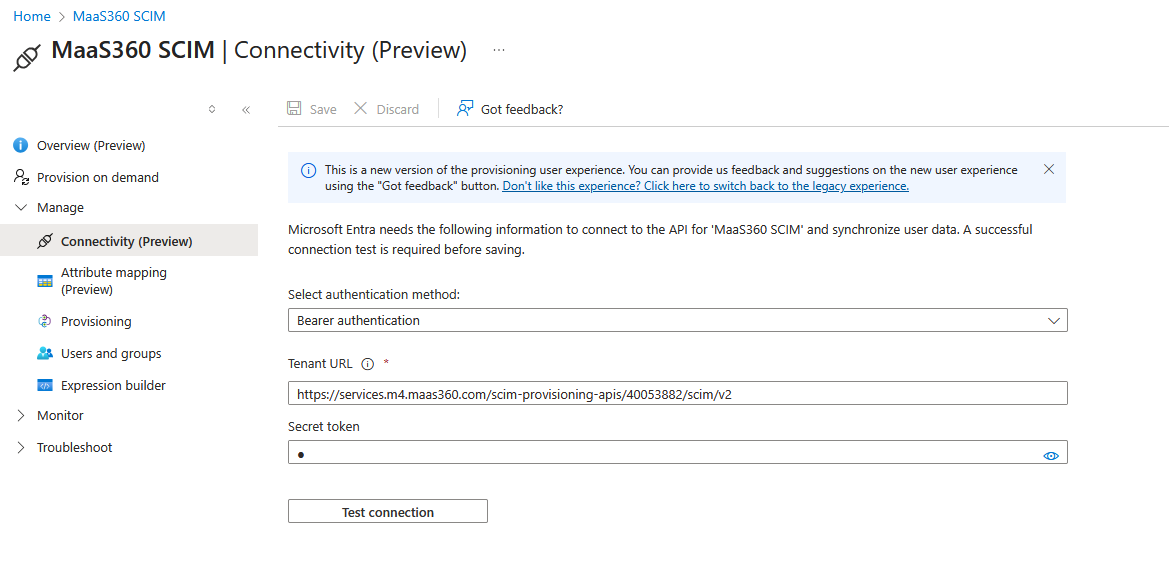
4. Click on Manage > Connectivity.
5. Enter in the new Secret that was provided by the TechSafe Team.
6. Click Test connection.
7. You should receive a prompt saying the connection was successful.
Your token has now been renewed for another year.
Contact
Privacy Policies
Terms of Use
Terms of Service
Legal Policy
Status Page
About Us
Our Team
Careers
Trust Center
Info@techsafe.nz
04 382 8096
Level 1 166 Featherston Street Wellington Central Wellington 6011 New Zealand
© 2025 techsafe.nz | All Rights Reserved